
If you build printable pages with HTML and CSS, such as planners, worksheets or journals, sooner or later you want the empty part of a page filled with a dot grid or ruled lines, however much space the text happens to leave. LaTeX has had a command for this for decades. CSS has none, and the usual workaround, measuring the leftover space with JavaScript, breaks as soon as the page goes to the printer, because the printed page is laid out differently from the screen. This article shows a CSS layout trick that lets the browser do the filling itself at print time, with an oversized filler, two columns and overflow: hidden, and no measuring at all. It also covers the bug I found while writing it, where the hidden part leaked into the margin of every printed page, and the fix that works in Safari too.
The job
Wyrd Almanach is a printable year: one page per week, the moon, the garden, the old marker days, whatever you picked. Each week prints on an A4 page turned sideways, split into two columns. The week’s text starts top left. Everything after it should be dots: a little journal for that week, as big as the week allows.
The trouble is “as big as the week allows”. A week in February with a full moon, Candlemas and a list of things to sow has text running into the second column. A quiet week in August is a header and three lines. The dots have to start where the text stops, run to the bottom of the column, and fill the next column too. On paper. In every browser.
How paper people solve it
LaTeX has had this for a long time. The exam package, made for teachers who need answer space under each question, has a command for it:
\fillwithdottedlines{\stretch{1}}\stretch{1} is LaTeX’s glue: “as much space as is left”. The command fills it with dotted lines, and there is a whole small package, fillwith, that does the same with rules, dots and line numbers. Typst users ask how to copy it on the Typst forum. On paper it is a solved problem, and has been since before most of us had a printer.
CSS has no glue that stretches to the end of a page. That is where it gets interesting.
The obvious ways, and why they break
Measure with JavaScript. The obvious plan: just before printing, find where the text ends, work out how much height is left, and draw that many rows of dots. The trouble is when that script runs. The browser fires its “about to print” event as the print dialog opens, while the page is still laid out for the screen: your window’s width, your screen styles. The printed page is laid out after that, at the width of the paper and with the print styles, so the text wraps differently and ends somewhere else. And if the reader then picks another paper size, changes the margins or scales the page in the dialog, everything flows again, and your script does not run a second time. The number you measured describes a page nobody prints.
Give the text a fixed height. Then a busy week gets cut off, and a quiet week has a hole between its last line and the dots.
Flexbox. For one fixed box this actually works: a column flex container, the text, then a filler with flex: 1. The filler takes the rest of the box. But the week’s text flows across two columns, and flex does not follow content from one column into the next. The moment a week spills into the right column, the filler is in the wrong place.
The trick: make it too big
The page is a fixed box, exactly the size of the paper, with two columns that fill one after the other, and overflow: hidden:
@page { size: A4 landscape; margin: 0; }

.page {
  width: 297mm;
  height: 210mm;
  box-sizing: border-box;
  padding: 10mm 12mm;
  overflow: hidden;
  break-after: page;

  column-count: 2;
  column-fill: auto;   /* fill the first column before the second */
  column-gap: 8mm;
}

.page section { break-inside: avoid; }
After the week’s text comes one more element, and it is absurdly tall:
.dots {
  height: 420mm;   /* more than both columns together */
  background-image: radial-gradient(circle, #bbb 0.75px, transparent 0.75px);
  background-size: 5mm 5mm;
  print-color-adjust: exact;
  -webkit-print-color-adjust: exact;
}
That is the whole idea. The columns are each 190 mm tall, so together they hold 380 mm. The dots are 420 mm. The browser pours them in like any other content: they take whatever is left of the first column, all of the second, and the remainder flows into a third column that sits outside the page, where overflow: hidden cuts it off.
Nobody measured anything. The browser lays the page out at print time, in the print layout, and the filler simply runs out of page. A quiet week gets a page and a half of dots. A busy week gets the bottom of the second column. Every week ends exactly at the margin.
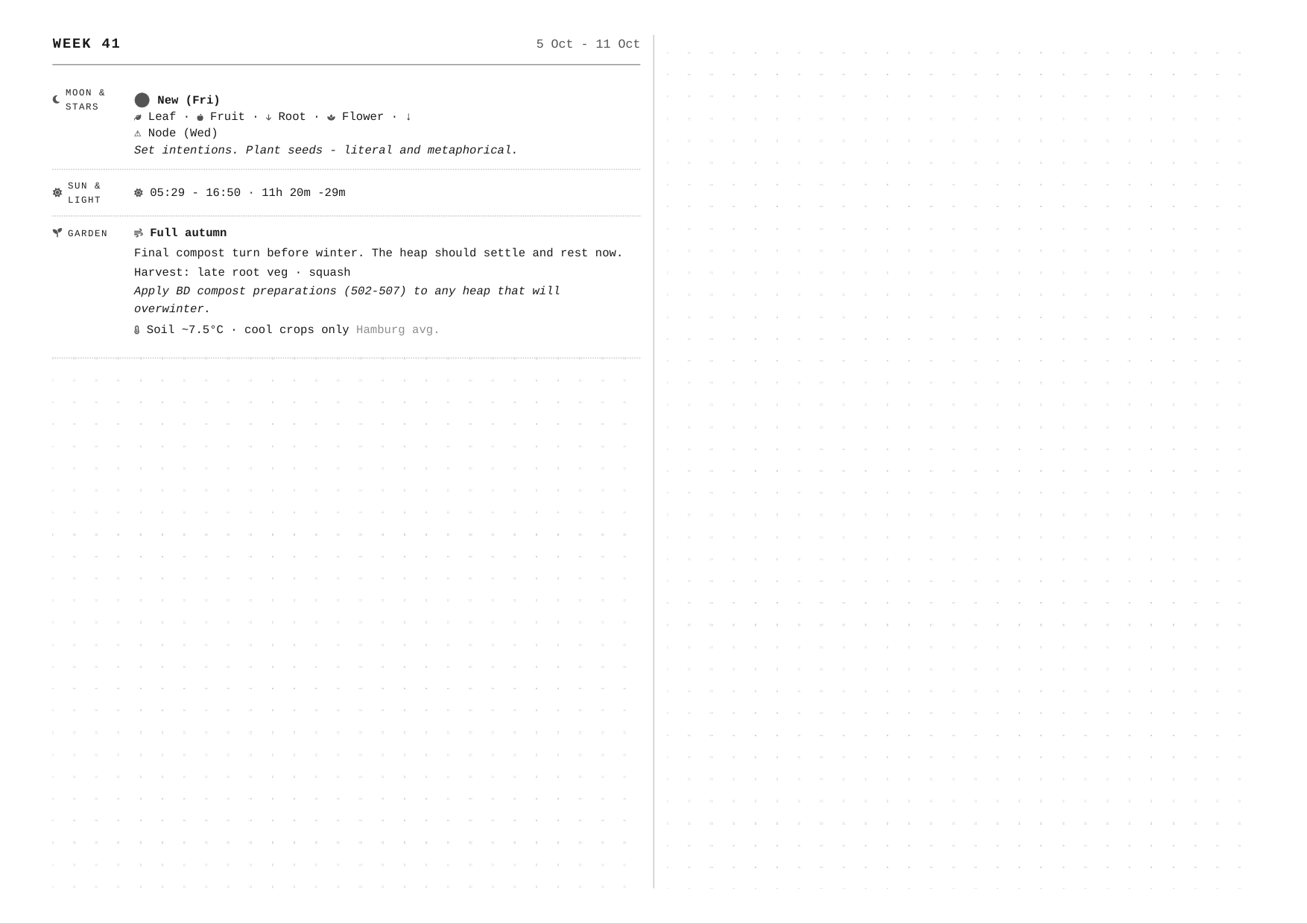
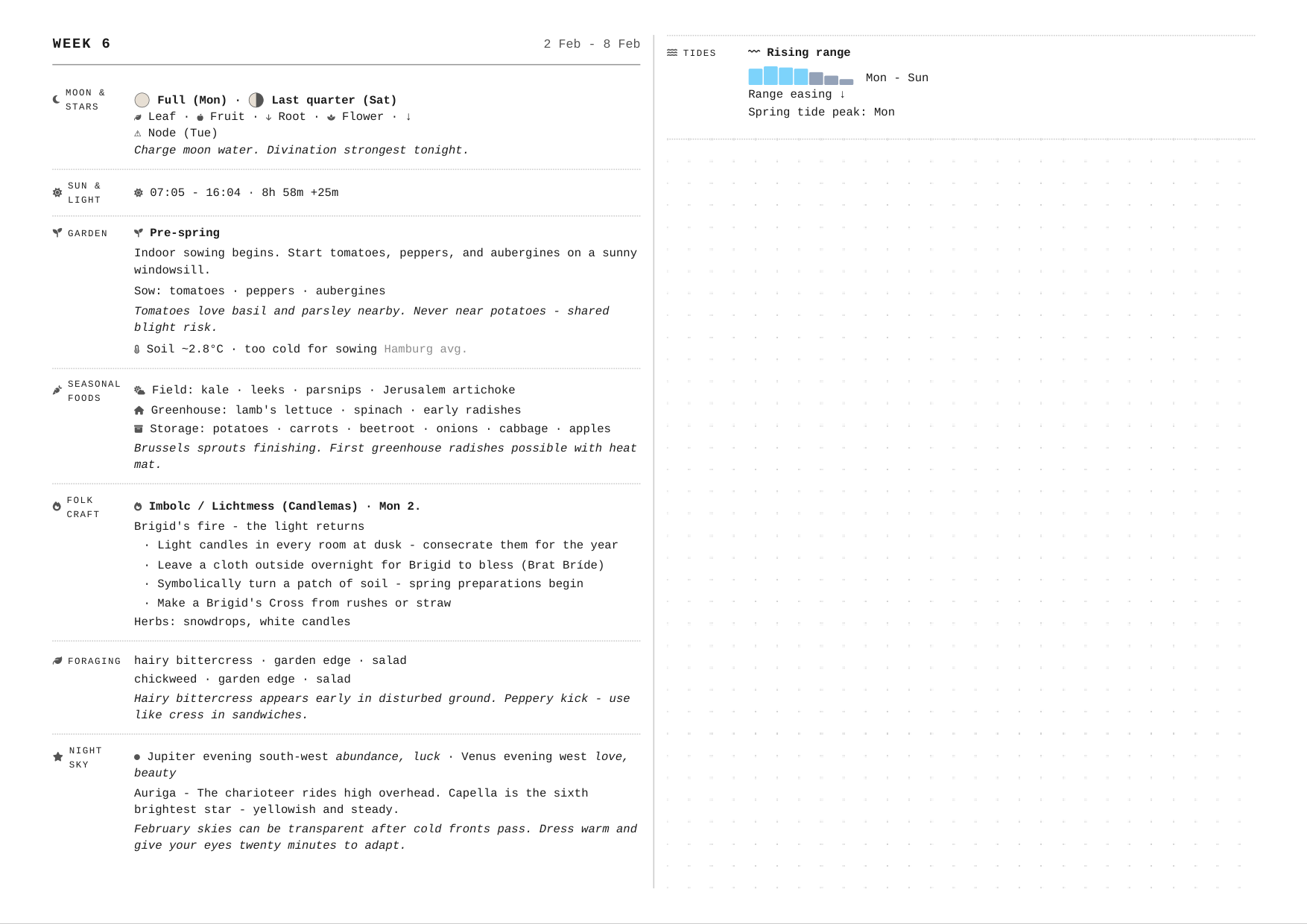
In Wyrd Almanach the dots are added just before printing and taken away after, so the screen never sees them:
window.addEventListener('beforeprint', () => {
  document.querySelectorAll('.page').forEach(page => {
    const dots = document.createElement('div');
    dots.className = 'dots';
    dots.dataset.printOnly = '';
    page.appendChild(dots);
  });
});
window.addEventListener('afterprint', () => {
  document.querySelectorAll('[data-print-only]').forEach(el => el.remove());
});
You can skip even that: put the element in the page and hide it on screen with display: none outside @media print.
Three things that will bite you
Backgrounds do not print. Browsers drop background colours and images when printing, to save ink. The dots are a background, so without print-color-adjust: exact you get a beautifully laid out page with nothing on it.
A reset that touches backgrounds. If your print styles have a * { background: none } somewhere, it wins over the dots too. Reset colours, not backgrounds.
Text that is too long. The same overflow: hidden that cuts off the extra dots will cut off text without a word. If a week’s text needs more than two columns, the end of it is gone. Wyrd Almanach keeps every section short and hides the month titles in print, because even a few millimetres more would push something off the page. If your content can grow, check for it before printing.
The leak I found while writing this
To write this up, I printed every week of the year again and looked at the right edge of the paper. There was a thin strip of dots in the margin, and a faint vertical line beside it, on every single page.

overflow: hidden clips at the padding edge, not at the content edge. The third column, the one that is supposed to be invisible, starts one column gap after the content ends. With a 12 mm right margin and a 6 mm gap, the hidden column started 6 mm inside the margin, and its first 6 mm of dots were printed. The faint line was the column rule: browsers draw it before the hidden column too, and Safari does not clip it at all.
In plain words: anything that overflows a multi-column box reappears one gap to the right, and if your padding on that side is wider than the gap, it shows.
There is a one-line fix in the spec, overflow: clip with overflow-clip-margin: content-box, which clips at the content edge. Safari does not support it. So the fix that works everywhere is older and a little sly:
.page {
  padding: 10mm 0 10mm 12mm;       /* no padding on the right ... */
  border-right: 12mm solid #fff;   /* ... the right margin is a border */
}
Overflow is clipped inside the border, so the hidden column starts outside the clip and stays hidden. The page looks the same. And the line between the two columns is drawn by hand instead of with column-rule, so there is no rule before the hidden column to leak:
.page { position: relative; }
.page::after {
  content: "";
  position: absolute;
  left: calc(12mm + (297mm - 24mm) / 2);
  top: 10mm;
  bottom: 10mm;
  border-left: 0.25pt solid #ccc;
}
Tested in Chromium, Firefox and WebKit: nothing in the margin, the line in the middle, the dots where the text stops.
The lesson
- To fill “the rest” of a printed page, do not measure. Make the filler too big and let a fixed box cut it off. The browser knows the print layout; your script does not.
- Columns with
column-fill: autoare the glue CSS does not have: content and filler flow through them in order. overflow: hiddenclips at the padding edge. In a multi-column box, overflow comes back one gap to the right. Keep the gap at least as wide as the padding on that side, or make that margin a border.- Backgrounds need
print-color-adjust: exactto reach the paper. - Print every page and look at the edges. The bug in this article was on every page of the almanach, and nobody saw it, because nobody looks at the margin.
Sources
- The exam class for LaTeX, Philip Hirschhorn: CTAN, exam (
\fillwithlines,\fillwithdottedlines). - CTAN, fillwith: fill space with rules or dotted lines.
- Typst forum: how can I replicate \fillwithdottedlines from the LaTeX exam package?
- MDN: column-fill, print-color-adjust, overflow-clip-margin.
- Can I use: overflow-clip-margin: content-box.
- Wyrd Almanach, where the page lives.